Module Overview
Generic Cloud Optimised Creation
The generic_cloud_optimised_creation script is installed as part of the aodn_cloud_optimised package.
Runner to generate cloud-optimised datasets from S3 files, based on a dataset config JSON.
- Example usage:
generic_cloud_optimised_creation –config mooring_hourly_timeseries_delayed_qc generic_cloud_optimised_creation –config satellite_chlorophylla_gsm_1day_aqua –json-overwrite ‘{“run_settings”: {“cluster”: {“mode”: null}, “raise_error”: true}, “clear_existing_data”: false}’ # useful for single file processing on prefect generic_cloud_optimised_creation –config satellite_chlorophylla_gsm_1day_aqua –json-overwrite ‘{“run_settings”: {“cluster”: {“mode”: null}, “raise_error”: true}, “clear_existing_data”: false, “force_previous_parquet_deletion”: true }’ # useful for parquet dataset to overwrite existing matching input files already processed
- aodn_cloud_optimised.bin.generic_cloud_optimised_creation.collect_files(path_cfg: PathConfig, suffix: str | None, exclude: str | None, bucket_raw: str | None, s3_client_opts: dict | None = None) List[str][source]
Collect dataset paths from S3 based on dataset type.
- Supports:
‘files’: lists and filters regular files (e.g., NetCDF, CSV)
‘parquet’: handles both single Parquet files and Hive-partitioned datasets
‘zarr’: returns the Zarr store path directly
- Parameters:
path_cfg – Configuration object including type, S3 URI, and optional regex filters.
suffix – File suffix to filter by, e.g., ‘.nc’. Set to None to disable suffix filtering.
exclude – Optional regex string to exclude files.
bucket_raw – Required if path_cfg.s3_uri is not a full S3 URI.
s3_client_opts – Optional dict with boto3 S3 client options.
- Returns:
List of dataset paths (files or root URIs) as strings.
- aodn_cloud_optimised.bin.generic_cloud_optimised_creation.join_s3_uri(base_uri: str, *parts: str) str[source]
- aodn_cloud_optimised.bin.generic_cloud_optimised_creation.json_update(base: dict, updates: dict) dict[source]
Recursively update nested dictionaries.
- aodn_cloud_optimised.bin.generic_cloud_optimised_creation.load_config_and_validate(config_filename: str) DatasetConfig[source]
Load and validate a dataset configuration.
This function loads a dataset configuration file and validates it against the DatasetConfig Pydantic model. If config_filename is a full path to an existing file, it is used directly. Otherwise, it is assumed to be a filename located in the default config directory: ../config/dataset/ relative to this file.
- Parameters:
config_filename – The name of the configuration file or a full path to one.
- Returns:
A validated DatasetConfig instance.
- Raises:
FileNotFoundError – If the configuration file does not exist.
pydantic.ValidationError – If the configuration is invalid.
- aodn_cloud_optimised.bin.generic_cloud_optimised_creation.resolve_dataset_config_path(config_arg: str) str[source]
Resolve dataset config path from a given argument.
If config_arg is an existing file path, return it as-is. Otherwise, treat it as a base name (with or without .json) and look it up in aodn_cloud_optimised.config.dataset.
- Parameters:
config_arg – The CLI config argument, either a path or a name.
- Returns:
The path to the config file as a string.
- Raises:
FileNotFoundError – If the resolved config file does not exist.
Create Dataset Configuration (semi-automatic)
The cloud_optimised_create_dataset_config script is installed as part of the aodn_cloud_optimised package and
helps greatly in the creation of a full dataset configuration. The file will need to be modified manually, see
full documentation at Dataset Configuration
Usage Example
Expand the video:
Definition
Create AWS Registry dataset entry
The cloud_optimised_create_aws_registry_dataset script is installed as part of the aodn_cloud_optimised package.
Usage Example
Definition
Common Handler
- class aodn_cloud_optimised.lib.CommonHandler.CommonHandler(**kwargs)[source]
GenericHandler for managing cloud-optimised datasets.
This class provides common methods and functionality for handling cloud-optimised datasets.
- static batch_process_fileset(fileset, batch_size=10)[source]
Processes a list of files in batches.
This method yields successive batches of files from the input fileset. Each batch contains up to batch_size files. Adjusting batch_size can impact memory usage and performance, potentially leading to out-of-memory errors. Be cautious.
- Parameters:
fileset (list) – A list of files to be processed in batches.
batch_size (int, optional) – The number of files to include in each batch (default is 10).
- Yields:
list – A sublist of fileset containing up to batch_size files.
- create_cluster()[source]
Create a Dask cluster based on the specified cluster_mode.
This method creates a Dask cluster either remotely using the Coiled service or locally depending on the value of the cluster_mode attribute. If coiled/ec2 cluster creation fails, it falls back to creating a local cluster.
- cluster_mode
Specifies the type of cluster to create (“coiled” or “local”).
- Type:
str
- logger
Logger for logging information, warnings, and errors.
- Type:
logging.Logger
- dataset_config
Configuration dictionary containing cluster options.
- Type:
dict
- dataset_name
Name of the dataset used for naming the coiled cluster.
- Type:
str
- cluster
The created Dask cluster (either coiled or local).
- Type:
Cluster
- client
Dask client connected to the created cluster.
- Type:
Client
- Raises:
ValueError – If an invalid cluster_mode is specified.
- Returns:
A tuple containing the Dask client and the created cluster.
- Return type:
Tuple[Client, Cluster]
Notes
If self.client and self.cluster become instance attributes, they can’t be used with self.client.submit as they can’t be serialised.
- create_metadata_aws_registry(target_directory=None)[source]
Creates a YAML file with metadata for the AWS OpenData Registry.
If the ‘aws_opendata_registry’ key is missing from the dataset configuration, a warning is logged. Otherwise, the metadata is extracted from the ‘aws_opendata_registry’ key, converted to YAML format, and saved to the specified directory.
- Parameters:
target_directory (str, optional) – Directory where the YAML file should be created. If not provided, a temporary directory is used.
- Returns:
None
- get_batch_size(client=None)[source]
Calculate the optimal batch size for processing files with Dask on a cluster.
This function determines the batch size based on the number of workers and the number of threads per worker. It retrieves these values from the dataset configuration or, if a Dask client is provided, directly from the Dask client.
- Parameters:
client (dask.distributed.Client, optional) – A Dask client to retrieve the number of threads per worker. If not provided, the number of threads is retrieved from the dataset configuration. Defaults to None.
- Returns:
The calculated batch size for processing files.
- Return type:
int
- Explanation:
The function first checks if a specific batch size is defined in the dataset configuration. This value comes from trial and error. If not, it determines the number of workers (n_workers) and the number of threads per worker (n_threads) from the dataset configuration’s cluster options.
If a Dask client is provided (client), it retrieves the current scheduler and thread information to dynamically calculate the optimal n_threads per worker. This is particularly useful for adjusting to changes in cluster resources or configurations.
The final batch size is computed as the product of n_workers and n_threads. This value represents the optimal number of files that can be processed simultaneously, balancing parallelism with resource availability.
The function logs the computed batch size using the logger associated with the instance.
- Parameters:
client (dask.distributed.Client, optional) – A Dask client to retrieve the number of threads per worker. If not provided, the number of threads is retrieved from the dataset configuration. Defaults to None.
- Returns:
The calculated batch size for processing files.
- Return type:
int
- init_s3_filesystems(s3_fs_common_opts=None, s3_bucket_opts=None, s3_fs_common_session=None, s3_client_opts_common=None)[source]
Initialise S3FileSystem and boto3 client options for input/output buckets.
- Parameters:
s3_fs_common_opts (dict, optional) – Common S3FS options applied if per-bucket options are missing.
s3_bucket_opts (dict, optional) – Per-bucket options for input_data and output_data.
s3_fs_common_session (Any, optional) – Optional s3fs session object (used in tests/mocking). Overwrites any other options from config as this is comming from kwargs
s3_client_opts_common (dict, optional) – Optional boto3 s3 client dict. Overwrite any other options from config as this is coming from kwargs
- static is_open_ds(ds: Dataset) bool[source]
Check if an xarray Dataset is open.
- Parameters:
ds (xarray.Dataset) – The xarray Dataset to check.
- Returns:
True if the Dataset is open, False otherwise.
- Return type:
bool
- postprocess(ds: Dataset) None[source]
Clean up resources used during data processing.
- Parameters:
ds (xarray.Dataset) – The xarray Dataset to clean up.
- Returns:
None
- validate_json(json_validation_path)[source]
Validate the JSON configuration of a dataset against a specified pyarrow_schema. This method uses a predefined pyarrow_schema loaded from a JSON file to validate the dataset configuration.
- Parameters:
json_validation_path
self (object) – The current instance of the class containing the dataset configuration.
- Raises:
ValueError – If the dataset configuration fails validation against the pyarrow_schema.
Example
Assuming
self.dataset_configcontains the dataset configuration JSON:dataset_validator = DatasetValidator() try: dataset_validator.validate_json() except ValueError as e: print(f"Validation error: {e}")
- Schema Loading:
The pyarrow_schema is loaded from a JSON file using
importlib.resources.files. Ensure the pyarrow_schema file (schema_validation_parquet.json) is accessible within theaodn_cloud_optimised.config.datasetpackage.- Validation Process:
The method attempts to validate
self.dataset_configagainst the loaded pyarrow_schema.If validation is successful, it logs an info message indicating success.
If validation fails, it raises a
ValueErrorwith details of the validation error.
- aodn_cloud_optimised.lib.CommonHandler.cloud_optimised_creation(s3_file_uri_list: List[str], dataset_config: dict, run_summary: RunSummary | None = None, **kwargs) bool[source]
Iterate through a list of s3 file paths and create Cloud Optimised files for each file.
- Parameters:
s3_file_uri_list (List[str]) – List of file paths to process.
dataset_config (dictionary) – dataset configuration. Check config/dataset_template.json for example
**kwargs – Additional keyword arguments for customization. handler_class (class, optional): Handler class for cloud optimised creation. force_previous_parquet_deletion (bool, optional): Whether to force deletion of old Parquet files (default is False). s3_fs_common_session: An aiobotocore authenticated session
- Returns:
cluster_id for the cluster used. This will be a cluster name for local clusters and an id for Coiled clusters.
- Return type:
str
Parquet Handlers
handler steps
The conversion process is broken down into a series of ordered steps, each responsible for a specific task. These steps include:
delete_existing_matching_parquet: Deletes existing Parquet files that match the current processing criteria.
preprocess_data: Generates a DataFrame and Dataset from the input NetCDF file.
publish_cloud_optimised: Creates Parquet files containing the processed data. - _add_timestamp_df: Adds timestamp information to the DataFrame. Useful for partitioning. - _add_columns_df: Adds generic columns such as site_code and filename to the DataFrame. - _add_columns_df_custom: Adds custom columns (useful for specific handlers). - _rm_bad_timestamp_df: Removes rows with bad timestamps from the DataFrame. - _add_metadata_sidecar: Adds metadata from the PyArrow table to the xarray dataset as sidecar attributes.
postprocess: Cleans up resources used during data processing.
Generic Parquet Handler definition
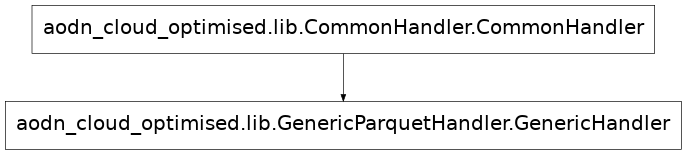
- class aodn_cloud_optimised.lib.GenericParquetHandler.GenericHandler(**kwargs)[source]
Bases:
CommonHandlerGenericHandler to create cloud-optimised datasets in Parquet format.
- Inherits:
CommonHandler: Provides common functionality for handling cloud-optimised datasets.
- cast_table_by_schema(table, schema) Table[source]
Cast each column of a PyArrow table individually to a provided schema, tolerating per-column failures.
Columns are cast one at a time. If a column cannot be cast to its schema type (e.g. a value that does not parse), that single column keeps its original type and the failure is logged, instead of the exception propagating and dropping the entire table back to its pandas-inferred dtypes. A single bad column dragging a whole file back to pandas dtypes is the root cause of cross-file schema conflicts (e.g.
doublein one file,int64in another) in the resulting parquet dataset.- Parameters:
table (pyarrow.Table) – The PyArrow table to be casted.
schema (pyarrow.Schema) – The schema to cast the table to.
- Returns:
- A table whose columns follow schema wherever the
cast succeeded, keeping the original type for any column that could not be cast.
- Return type:
pyarrow.Table
- Raises:
ValueError – If any column could not be cast and
self.raise_erroris set. Tolerating the failure means publishing data that does not match the configured schema, so a run that asked for errors to be fatal must not silently succeed.
- check_var_attributes(ds)[source]
Validate the attributes of each variable in an xarray Dataset against a predefined schema.
This method checks if each variable in the provided xarray Dataset ds contains a specific set of attributes and verifies that the values of these attributes match the expected values defined in the dataset_config schema. If any attribute does not match the expected value, a ValueError is raised. If a variable is missing from the dataset_config, a warning is logged.
Parameters: ds (xarray.Dataset): The dataset to be validated.
Raises: ValueError: If an attribute value does not match the expected value as defined in the schema. KeyError: If an expected attribute is missing from a variable.
Returns: bool: True if all attributes are validated successfully.
Notes: - The method uses a predefined list of mandatory attributes (self.attributes_list_to_check) that are expected
to be present and consistent across the dataset.
The schema containing the expected attribute values for each variable is provided via self.dataset_config.
If a variable is missing from the dataset_config, a warning is logged.
- static convert_df_bytes_to_str(df: DataFrame)[source]
Athena does not support byte object. Converting bytes variables into string
- static create_polygon(point: Point, delta: float) str[source]
Create a polygon around a given point with rounded longitude and latitude to the nearest multiple of the specified delta, and return its Well-Known Binary (WKB) representation in hexadecimal format.
- Parameters:
point (shapely.geometry.Point) – The point around which the polygon will be created.
delta (float) – The distance from the point to each side of the polygon, in degrees.
- Returns:
The WKB hexadecimal representation of the created polygon.
- Return type:
str
- delete_cloud_optimised_data(filename: str)[source]
Function to delete data where filename is found in the CO dataset
- delete_existing_matching_parquet(filename: str) None[source]
- delete_existing_matching_parquet(filenames: list[str] | None = None) None
Delete unmatched Parquet files.
In scenarios where we reprocess files with similar filenames but potentially different content, which affects partition values, we may encounter a situation where the old Parquet files are not overwritten because they don’t match the new ones. Although this scenario is unlikely, it is not impossible.
The challenge arises when we need to list all existing Parquet objects on S3, which could take a significant amount of time (e.g., 15s+) and could become problematic if there are already a large number of objects (e.g., 50,000+). In such cases, caution should be exercised, and batch processing strategies may need to be implemented.
- Returns:
None
- delete_matched_keys(bucket: str, matched_keys: list[str], dryrun: bool = True)[source]
Deletes matched S3 objects in batches of up to 1,000 using the underlying S3 client.
Extracts the bucket name and Boto3 client directly from the target dataset path. If dryrun is True, logs the planned deletions without modifying S3.
- Parameters:
dataset_s3_path – The primary S3 path defining the target bucket and client.
matched_delete_s3_paths – List of S3Path instances to delete from the bucket.
dryrun – If True, previews items to delete without performing API deletions.
- find_matched_keys(keys: list[str], filenames: list[str], pattern_template: str = '-\\d+\\.parquet$') list[str][source]
Filters dataset S3 paths for files matching targeted file names and regex patterns.
- Parameters:
keys – List of candidate S3Path instances to evaluate.
delete_file_names – List of target file base names or identifiers to match.
pattern_template – Regex pattern applied alongside base names to identify matches.
- Returns:
A list of matching string keys
- get_variables_from_object_key(f, extraction_code) dict[source]
Extract variables from an object key using a dynamically defined extraction function.
This method retrieves the extraction code from the dataset configuration, executes it to define the extraction function in a local scope, and uses this function to extract information from the given object key.
- Args:
- f (object): An object that has a path attribute, representing the object key
from which to extract variables.
- extraction_code (string): a function writen as a string, outputting a dict. For example
“def extract_info_from_key(key):
parts = key.split(‘/’) return {‘campaign_name’: parts[-4]}”
- Returns:
- dict: A dictionary containing the extracted variables. The contents depend on
the implementation of the extraction function specified in the dataset configuration.
- Raises:
- KeyError: If the extraction function defined in the extraction code does not
exist in the local scope.
- Exception: Any exception raised by the dynamically executed extraction function
if the input does not meet its requirements.
- get_variables_from_variables(df: DataFrame, creation_code: str, output_name: str) Series[source]
Dynamically create a variable from dataframe using provided creation code. This version is vectorized: the creation_code function must accept the full DataFrame (or columns) instead of a single row.
- Parameters:
df (pd.DataFrame) – The DataFrame containing input columns.
creation_code (str) – Function code as string, defining a function that takes the DataFrame and returns a pd.Series.
output_name (str) – Name of the output variable (for type conversion).
- Returns:
The computed column.
- Return type:
pd.Series
- list_dataset_bucket() tuple[str, list[str]][source]
List all Parquet file keys and identify the S3 bucket for the dataset.
Inspects the dataset at
cloud_optimised_output_pathusing PyArrow and extracts the S3 bucket along with the full key paths.- Returns:
A tuple containing: - bucket (str): The name of the S3 bucket. - keys (list[str]): List of file keys.
- Return type:
tuple[str, list[str]]
- Raises:
FileNotFoundError – If the target path does not exist or contains no Parquet files.
OSError – If there is an issue accessing the storage filesystem or reading metadata.
IndexError – If the dataset files list is empty when extracting the bucket name.
- preprocess_data(fp: str | S3File) Generator[Tuple[DataFrame, Dataset], None, None][source]
Overwrites the preprocess_data method from CommonHandler.
- Parameters:
fp (str or s3fs.core.S3File) – File path or S3 file object.
- Yields:
tuple – A tuple containing DataFrame and Dataset.
If fp ends with “.nc”, it delegates to self.preprocess_data_netcdf(fp). Elif fp ends with “.csv”, it delegates to self.preprocess_data_csv(fp). Elif fp ends with “.parquet”, it delegates to self.preprocess_data_parquet(fp). Else raises a NotImplementedError
- Raises:
NotImplementedError – Where the file type is not yet implemented
- preprocess_data_csv(csv_fp) Generator[Tuple[DataFrame, Dataset], None, None][source]
Preprocesses a CSV file using pandas and converts it into an xarray Dataset based on dataset configuration.
- Parameters:
csv_fp (str or s3fs.core.S3File) – File path or s3fs object of the CSV file to be processed.
- Yields:
Tuple[pd.DataFrame, xr.Dataset] –
- A generator yielding a tuple containing the processed pandas DataFrame
and its corresponding xarray Dataset.
This method reads a CSV file (csv_fp) using pandas’ read_csv function with configuration options specified in the dataset configuration (pandas_read_csv_config key of self.dataset_config, expected to be a JSON-like dictionary). The resulting DataFrame (df) is then converted into an xarray Dataset using xr.Dataset.from_dataframe().
Example of pandas_read_csv_config in dataset configuration: ```json “pandas_read_csv_config”: {
“delimiter”: “;”, “header”: 0, “index_col”: “detection_timestamp”, “parse_dates”: [“detection_timestamp”], “na_values”: [“N/A”, “NaN”], “encoding”: “utf-8”
}
The method also uses the ‘schema’ from the dataset configuration to assign attributes to variables in the xarray Dataset. Each variable’s attributes are extracted from the ‘schema’ and assigned to the Dataset variable’s attributes. The ‘type’ attribute from the pyarrow_schema is removed from the Dataset variables’ attributes since it is considered unnecessary.
If a variable in the Dataset is not found in the schema, an error is logged.
- preprocess_data_netcdf(netcdf_fp) Generator[Tuple[DataFrame, Dataset], None, None][source]
Generate DataFrame and Dataset from a NetCDF file. If the dataset is more complicated, this method could be rewritten in a custom class inheriting the GenericHandler class with super() for method delegation.
- Parameters:
netcdf_fp (str or s3fs.core.S3File) – Input NetCDF filepath or s3fs object.
- Yields:
tuple – A tuple containing DataFrame and Dataset.
This method reads a NetCDF file (netcdf_fp) using xarray’s open_dataset function with configuration options specified in the dataset configuration (netcdf_read_config key of self.dataset_config, expected to be a JSON-like dictionary). The resulting Dataset (ds) is converted into a pandas DataFrame (df) using ds.to_dataframe().
The method also verifies variable attributes against the ‘schema’ from the dataset configuration. If the attributes do not match the schema, an error is logged.
Example of netcdf_read_config in dataset configuration: ```json “netcdf_read_config”: {
“engine”: “h5netcdf”, “decode_times”: False
}
- preprocess_data_parquet(parquet_fp) Generator[Tuple[DataFrame, Dataset], None, None][source]
Preprocesses a parquet file using pyarrow and converts it into an xarray Dataset based on the dataset configuration.
- Parameters:
parquet_fp (str or s3fs.core.S3File) – File path or s3fs object of the parquet file to be processed.
- Yields:
Tuple[pd.DataFrame, xr.Dataset] –
- A generator yielding a tuple containing the processed pandas DataFrame
and its corresponding xarray Dataset.
This method reads a parquet file(parquet_fp) using pyarrow.parquet read_table function.
The resultin DataFrame (df) is then converted into an xarray Dataset using xr.Dataset.from_dataframe().
# TODO: Document pq.read_table options
The method also uses the ‘schema’ from the dataset configuration to assign attributes to variables in the xarray Dataset. Each variable’s attributes are extracted from the ‘schema’ and assigned to the Dataset variable’s attributes. The ‘type’ attribute from the pyarrow_schema is removed from the Dataset variables’ attributes since it is considered unnecessary.
If a variable in the Dataset is not found in the schema, an error is logged.
Notes
Ensure that the config schema includes a column named “index” of type int64. When the internal conversions occur between xarray, pandas and pyarrow, an “index” column is added to the pyarrow table. Rather than detect when “index” should not have been added, it is easier to add “index” as an expected column that is added by the cloud optimisation process.
- publish_cloud_optimised(df: DataFrame, ds: Dataset, s3_file_handle) None[source]
Create a parquet file containing data only.
- Parameters:
s3_file_handle – s3_file_handle
df (pd.DataFrame) – The pandas DataFrame containing the data.
ds (Dataset) – The dataset object.
- Returns:
None
- to_cloud_optimised(s3_file_uri_list) None[source]
Process a list of NetCDF files from S3 URIs, converting them into Parquet format in batches.
- Parameters:
s3_file_uri_list (list) – List of S3 URIs of NetCDF files to process.
- Returns:
None
This method processes a list of NetCDF files located at s3_file_uri_list: - Deletes existing Parquet files if self.clear_existing_data is set to True. - Logs deletion of existing Parquet files if they exist. - Creates a Dask cluster and submits tasks to process each file URI in batches. - Waits for batch tasks to complete using a timeout of 10 minutes. - Closes the Dask cluster after all tasks are completed.
Note: - Uses the logger defined in self.logger. - Uses configurations and settings from self.dataset_config.
- to_cloud_optimised_single(s3_file_uri) None[source]
Process a single NetCDF file from an S3 URI, converting it into Parquet format.
- Parameters:
s3_file_uri (str) – The S3 URI of the NetCDF file to process.
- Returns:
None
This method processes a NetCDF file located at s3_file_uri: - Logs the processing start. - Deletes existing matching Parquet files if enabled (self.delete_pq_unmatch_enable). - Creates a fileset from the S3 file URI. - Calls self.preprocess_data() to preprocess the data, yielding DataFrame and Dataset. - Publishes the cloud-optimised data using self.publish_cloud_optimised(). - Performs post-processing tasks using self.postprocess(). - Logs completion time and finalises the process.
If any exception occurs during processing, it logs the error and raises the exception.
Note: - Uses the logger defined in self.logger. - Uses configurations and settings from self.dataset_config.
- validate_dataset_dimensions(ds: Dataset) None[source]
Validate that all dataset dimensions have corresponding variables as defined in the schema. For each dimension present in the dataset (TIME, LATITUDE, LONGITUDE), this function checks whether the dimension is declared in
dataset_config["schema"]. If it is, it ensures that a variable of the same name exists in the dataset (For example, dimension such as id won’t be defined). If a required variable is missing, aValueErroris raised. :param ds: The xarray Dataset to validate. :param dataset_config: Configuration dictionary containing a"schema"keymapping variable names to their definitions.
- Raises:
ValueError – If a dimension is defined in the schema but the corresponding variable is missing in the dataset.
Argo Parquet Handler
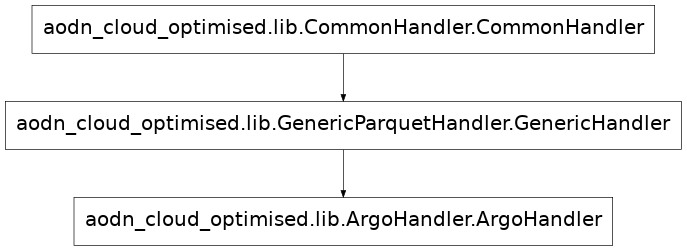
- class aodn_cloud_optimised.lib.ArgoHandler.ArgoHandler(**kwargs)[source]
Bases:
GenericHandler- preprocess_data(fp) Generator[Tuple[DataFrame, Dataset], None, None][source]
Preprocess a NetCDF file containing aggregated profile data.
This method reads a profile NetCDF file (typically named with a *_prof.nc suffix), which is an aggregation of multiple profile files, and returns a generator yielding a tuple of a pandas DataFrame and an xarray Dataset.
- Parameters:
fp – Path to the input NetCDF file, or an open S3 file object (using s3fs) of an Argo *_prof.nc file.
- Returns:
Generator yielding tuples of (DataFrame, Dataset) where DataFrame contains the profile data and Dataset is the corresponding xarray Dataset.
Mooring Hourly Timeseries Parquet Handler
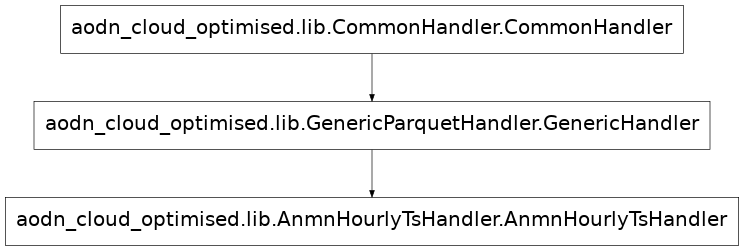
- class aodn_cloud_optimised.lib.AnmnHourlyTsHandler.AnmnHourlyTsHandler(**kwargs)[source]
Bases:
GenericHandler- preprocess_data(netcdf_fp) Generator[Tuple[DataFrame, Dataset], None, None][source]
Preprocess a NetCDF file containing Mooring Hourly timeseries product data.
This method reads a NetCDF file, typically used for Mooring Hourly timeseries products, and processes it to yield a tuple of a pandas DataFrame and an xarray Dataset.
The DataFrame contains the profile data with instrument information merged based on the ‘instrument_index’. This method ensures proper handling of the dataset using a context manager and checks for expected dimensions and variables.
- Parameters:
netcdf_fp – Path to the input NetCDF file, or an open S3 file object (using s3fs).
- Returns:
Generator yielding tuples of (DataFrame, Dataset) where DataFrame contains the profile data with instrument information, and Dataset is the corresponding xarray Dataset.
Zarr Handler
handler steps
Handler definition
- class aodn_cloud_optimised.lib.GenericZarrHandler.GenericHandler(**kwargs)[source]
Handles the creation of cloud-optimised datasets in Zarr format.
Provides methods to process NetCDF files (potentially in batches), apply preprocessing, handle inconsistencies, and write the data to an S3 Zarr store, managing chunking, consolidation, and appending.
- Inherits:
- CommonHandler: Provides common functionality like cluster management,
logging, and configuration loading.
- check_variable_values_parallel(file_paths, variable_name)[source]
Checks variable consistency across files in parallel.
Compares the values of a specified variable in multiple NetCDF files against the values in the first file of the list. Uses the configured Dask cluster (if available) for parallel execution via the top-level check_variable_values_dask function.
- Parameters:
file_paths (list[str]) – List of S3 file paths to check. The first file is used as the reference.
variable_name (str) – The name of the variable to compare across files.
- Returns:
- A list of file paths identified as having values for the
specified variable that are inconsistent with the first file. Returns all file paths if the reference file cannot be opened.
- Return type:
list[str]
- delete_cloud_optimised_data(filename: str)[source]
Deletes data in the cloud-optimised Zarr dataset corresponding to a specific filename by replacing all data variables with NaNs, except dimension coordinates and the filename variable.
- Parameters:
filename (str) – The filename identifying the subset of data to delete.
- Returns:
None
Notes
The function expects that the filename variable varies along a single dimension.
Before writing, the function checks that exactly one slice along the filename dimension
is selected to prevent accidental overwrites.
- fallback_to_individual_processing(batch_files, partial_preprocess, drop_vars_list, idx)[source]
Handles the ultimate fallback: processing files one by one.
If all batch processing attempts (try_open_dataset) fail for a batch, this method iterates through the files in the batch, opens each one individually (using _open_file_with_fallback), and writes it to the Zarr store immediately using _write_ds.
- Parameters:
batch_files (list[str]) – List of S3 file paths in the failed batch.
partial_preprocess (callable) – The pre-configured preprocessing function.
drop_vars_list (list[str]) – List of variable names to drop.
idx (int) – The index of the current batch (for logging).
- static filter_rechunk_dimensions(dimensions)[source]
Filters dimensions based on the ‘rechunk’ flag in the config.
Static method used potentially by the (currently commented out) rechunk method to determine which dimensions and their target chunk sizes should be used for rechunking.
- Parameters:
dimensions (dict) – The ‘dimensions’ section of the dataset configuration.
- Returns:
- A dictionary where keys are dimension names and values are
target chunk sizes for dimensions marked with ‘rechunk: true’.
- Return type:
dict
- get_append_dim()[source]
Determine the dimension marked with append_dim: true in the dataset configuration.
This method scans the self.dimensions dictionary for a dimension where the append_dim property is set to true. If exactly one such dimension is found, it sets self.append_dim_varname to that dimension’s key.
If no dimension has append_dim: true, a warning is logged and self.append_dim_varname is defaulted to self.dimensions[“time”][“name”].
If more than one dimension has append_dim: true, an error is raised.
- Raises:
ValueError – If more than one dimension is marked with append_dim: true.
- handle_append_dim_overlap(batch_files, dim_name, partial_preprocess, drop_vars_list, engine)[source]
Handles batches where files have overlapping values on the append dimension.
When
combine_by_coordsfails because the append dimension (e.g. TIME) is not globally monotonic, it means at least one file in the batch contains values that overlap with another file. This is a data quality issue — all files in a correctly formed dataset should have non-overlapping, monotonically increasing values along the append dimension.This method opens each file individually to determine the min/max of
dim_name, sorts by the minimum value, then identifies any file whose minimum value falls within the range already covered by a preceding file. Those files are logged as data-provider errors, excluded from the batch, and the remaining clean files are re-opened.- Parameters:
batch_files (list) – List of S3 file paths in the current batch.
dim_name (str) – Name of the append dimension (e.g.,
"TIME").partial_preprocess (callable) – The pre-configured preprocessing function.
drop_vars_list (list[str]) – List of variable names to drop.
engine (str) – The xarray engine to use for opening files.
- Returns:
The dataset opened from the non-overlapping files.
- Return type:
xr.Dataset
- Raises:
RuntimeError – If no overlapping files can be identified (unexpected failure), or if every file in the batch was excluded.
- handle_coordinate_variable_issue(batch_files, variable_name, partial_preprocess, drop_vars_list, engine)[source]
Handles errors caused by inconsistent coordinate variables in a batch.
When xr.open_mfdataset fails due to a non-monotonic coordinate, this method identifies the problematic files by comparing the coordinate variable values against a reference (the first file). It then attempts to re-open the dataset excluding the problematic files.
- Parameters:
batch_files (list[str]) – List of S3 file paths in the batch.
variable_name (str) – The name of the inconsistent coordinate variable.
partial_preprocess (callable) – The pre-configured preprocessing function.
drop_vars_list (list[str]) – List of variable names to drop.
engine (str) – The engine (‘h5netcdf’ or ‘scipy’) being used when the error occurred.
- Returns:
The dataset opened from the cleaned batch of files.
- Return type:
xr.Dataset
- handle_invalid_format_in_batch(batch_files, primary_engine, fallback_engine, partial_preprocess, drop_vars_list)[source]
Handles a batch where the primary engine fails due to incompatible files.
When open_mfdataset with primary_engine fails because one or more files are not in the expected format (e.g. a NetCDF3 file in a NetCDF4 batch), this method:
Scans each file by reading its first 8 bytes (magic-byte check) to determine whether it is NetCDF4/HDF5 or NetCDF3 — very fast even for thousands of files, and parallelised with threads.
Opens the compatible files individually with the primary engine.
Opens the incompatible files individually with the fallback engine.
Concatenates and returns the combined dataset.
If no incompatible files are found locally, the failure is likely a cluster-environment issue rather than a bad file. In that case, a
ValueError("Switch to fallback engine")is raised to let the caller try the fallback engine on the full batch.- Parameters:
batch_files (list) – List of S3 file-like objects in the batch.
primary_engine (str) – Engine that failed (‘h5netcdf’).
fallback_engine (str) – Engine to try for incompatible files (‘scipy’).
partial_preprocess (callable) – The pre-configured preprocessing function.
drop_vars_list (list[str]) – List of variable names to drop.
- Returns:
The dataset combining all successfully opened files.
- Return type:
xr.Dataset
- Raises:
ValueError("Switch to fallback engine") – If no incompatible files are found locally (cluster-env issue; let the caller try scipy batch open).
RuntimeError – If no files at all could be opened.
- handle_multi_engine_fallback(batch_files, partial_preprocess, drop_vars_list)[source]
Handles fallback scenario where files need different engines.
If xr.open_mfdataset fails with both ‘h5netcdf’ and ‘scipy’ engines (likely due to a mix of NetCDF3 and NetCDF4 files in the batch), this method attempts to open each file individually, trying ‘scipy’ first and falling back to ‘h5netcdf’, then concatenates the resulting datasets.
- Parameters:
batch_files (list[str]) – List of S3 file paths in the batch.
partial_preprocess (callable) – The pre-configured preprocessing function.
drop_vars_list (list[str]) – List of variable names to drop.
- Returns:
The concatenated dataset from individually opened files.
- Return type:
xr.Dataset
- Raises:
RuntimeError – If concatenation fails after individual opening attempts.
- publish_cloud_optimised_fileset_batch(s3_file_uri_list)[source]
Processes and publishes batches of NetCDF files to the Zarr store.
Iterates through the input list of S3 URIs, processing them in batches determined by cluster resources or a default size. For each batch, it attempts to open the files as a single dataset using various strategies (engines, handling inconsistencies), preprocesses the data, and writes it to the target Zarr store using _write_ds. Includes fallback logic for individual file processing if batch methods fail.
- Parameters:
s3_file_uri_list (list[str]) – A list of S3 URIs pointing to the NetCDF files to be processed.
- Raises:
ValueError – If s3_file_uri_list is None.
- to_cloud_optimised(s3_file_uri_list=None)[source]
Main entry point to convert NetCDF files to a Zarr dataset.
Handles optional clearing of existing data, sets up the Dask cluster if configured, ensures the input file list is unique, and calls publish_cloud_optimised_fileset_batch to process the files. Closes the cluster afterwards if one was created.
- Parameters:
s3_file_uri_list (list[str], optional) – List of S3 URIs of NetCDF files to process. If None or empty, the method will exit early. Defaults to None.
- try_open_dataset(batch_files, partial_preprocess, drop_vars_list, primary_engine='h5netcdf', fallback_engine='scipy')[source]
Attempts to open a batch of files using multiple strategies.
Tries opening the batch with the primary engine (h5netcdf). If that fails due to specific known errors (e.g., inconsistent coordinates, wrong NetCDF format signature), it attempts specific handling or tries the fallback engine (scipy). If all standard open_mfdataset attempts fail, it resorts to opening files individually with mixed engines.
- Parameters:
batch_files (list[str]) – List of S3 file paths in the current batch.
partial_preprocess (callable) – The pre-configured preprocessing function.
drop_vars_list (list[str]) – List of variable names to drop.
primary_engine (str) – The preferred engine for xr.open_mfdataset. Defaults to “h5netcdf”.
fallback_engine (str) – The engine to try if the primary one fails due to specific format errors. Defaults to “scipy”.
- Returns:
The opened and potentially preprocessed dataset for the batch.
- Return type:
xr.Dataset
- Raises:
RuntimeError – If all attempts, including individual file opening, fail.
ValueError – If specific unrecoverable errors occur (e.g., invalid NetCDF format after trying both engines).
- update_store_varattrs_from_schema(store, schema: dict) None[source]
Update variable attributes directly in a Zarr store based on a schema dictionary.
For each variable: - Add or update attributes defined in the schema - Delete attributes present in the store but not in the schema - Log type mismatches and other observations
Parameters
- storezarr.Group
The Zarr group/store to update.
- schemadict
A dictionary where keys are variable names and values are dictionaries of metadata.
- exception aodn_cloud_optimised.lib.GenericZarrHandler.GridSizeMismatchError[source]
Raised when a batch has spatial dimensions incompatible with the existing Zarr store.
- aodn_cloud_optimised.lib.GenericZarrHandler.add_missing_coordinate_from_template(ds, dim, dataset_name)[source]
Add a missing coordinate from a dataset template file.
- Parameters:
ds (xarray.Dataset) – The target dataset to modify.
dim (str) – The name of the missing dimension.
dataset_name (str) – Name of the dataset to locate the template file.
- Returns:
The dataset with the added coordinate.
- Return type:
xarray.Dataset
- Raises:
ValueError – If the template file is missing or does not contain the requested dimension.
- aodn_cloud_optimised.lib.GenericZarrHandler.check_append_dim_range_dask(file_path, dim_name, dataset_config, uuid_log)[source]
Returns the min and max values of a dimension in a single file.
Designed to be run in parallel (e.g., with Dask) to identify files whose append-dimension range overlaps with other files in the same batch.
- Parameters:
file_path (str) – Path to the NetCDF file.
dim_name (str) – Name of the append dimension (e.g., “TIME”).
dataset_config (dict) – Dataset configuration dict (used for logger name).
uuid_log (str) – Unique identifier for log correlation.
- Returns:
(file_path, min_val, max_val)on success, or(file_path, None, None)if the file cannot be opened or the dimension is missing.
- Return type:
tuple[str, any, any]
- aodn_cloud_optimised.lib.GenericZarrHandler.check_variable_values_dask(file_path, reference_values, variable_name, dataset_config, uuid_log)[source]
Checks if variable values in a file match reference values.
Designed to be run in parallel (e.g., with Dask), hence it’s a top-level function to avoid serialization issues with class methods.
- Parameters:
file_path (str) – Path to the NetCDF file to check.
reference_values (np.ndarray) – The reference NumPy array to compare against.
variable_name (str) – The name of the variable within the NetCDF file to compare.
dataset_config (dict) – The dataset configuration dictionary, used to get the logger name.
uuid_log (str) – A unique identifier for logging purposes within a batch.
- Returns:
- A tuple containing the file path and a boolean
indicating if the file is problematic (True) or consistent (False). Returns (file_path, True) if any exception occurs during processing.
- Return type:
tuple[str, bool]
- aodn_cloud_optimised.lib.GenericZarrHandler.get_var_template_shape(ds, var_template_shape)[source]
Return the first variable name from var_template_shape that exists in ds.
- aodn_cloud_optimised.lib.GenericZarrHandler.preprocess_xarray(ds, dataset_config)[source]
Performs preprocessing steps on an xarray Dataset.
This function applies preprocessing logic defined in the dataset configuration, such as dropping variables, adding missing variables with NaN values, ensuring correct data types, and adding a ‘filename’ variable.
Note
This function is designed to be used as a preprocessing step, potentially within xr.open_mfdataset or applied manually after opening datasets. It handles potential RuntimeWarning during NaN array creation.
- Parameters:
ds (xr.Dataset) – The input xarray Dataset to preprocess.
dataset_config (dict) – Configuration dictionary containing schema, dimensions, and other preprocessing parameters. Expected keys include ‘logger_name’, ‘dimensions’, ‘schema’, ‘var_template_shape’.
- Returns:
The preprocessed xarray Dataset.
- Return type:
xr.Dataset
- Raises:
ValueError – If the dataset has no data variables left after filtering.
TypeError – If a RuntimeWarning occurs during NaN array creation, indicating potential issues.
